Offline Biometric Attendance System
A fully offline Windows attendance system for the Fleet UMS Hobby Club & AI Center of the Pakistan Navy, with face, fingerprint and PIN check-in, a live admin dashboard and automatic backups, all running on a single club PC with no internet.
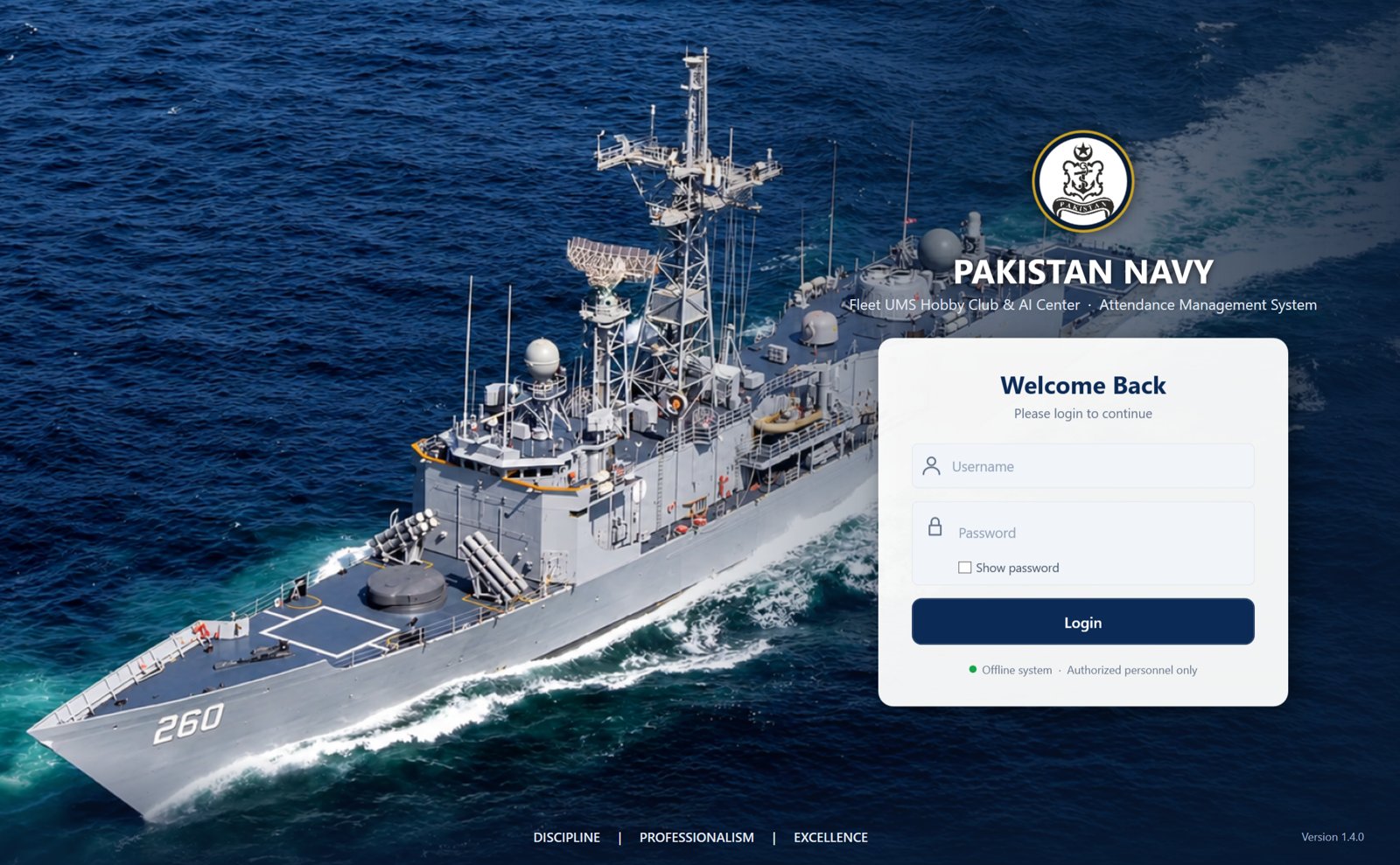
The challenge
The club runs two activity centres, an AI Center and a Hobby Club for drones, robotics and model boats. Member attendance was managed manually, and the client had clear requirements.
Manual records
Hard to know who was inside at any moment, or to produce reliable monthly reports.
No internet allowed
The system had to run fully offline, with all data kept on site.
Fast check-in
Members needed to check in and out in seconds, without staff help.
Simple administration
Non-technical staff had to manage members, reports and backups on their own.
The solution, screen by screen
We built a native Windows application with two modes on one PC: a self-service member kiosk and a full admin panel, both matching the club's official branding.
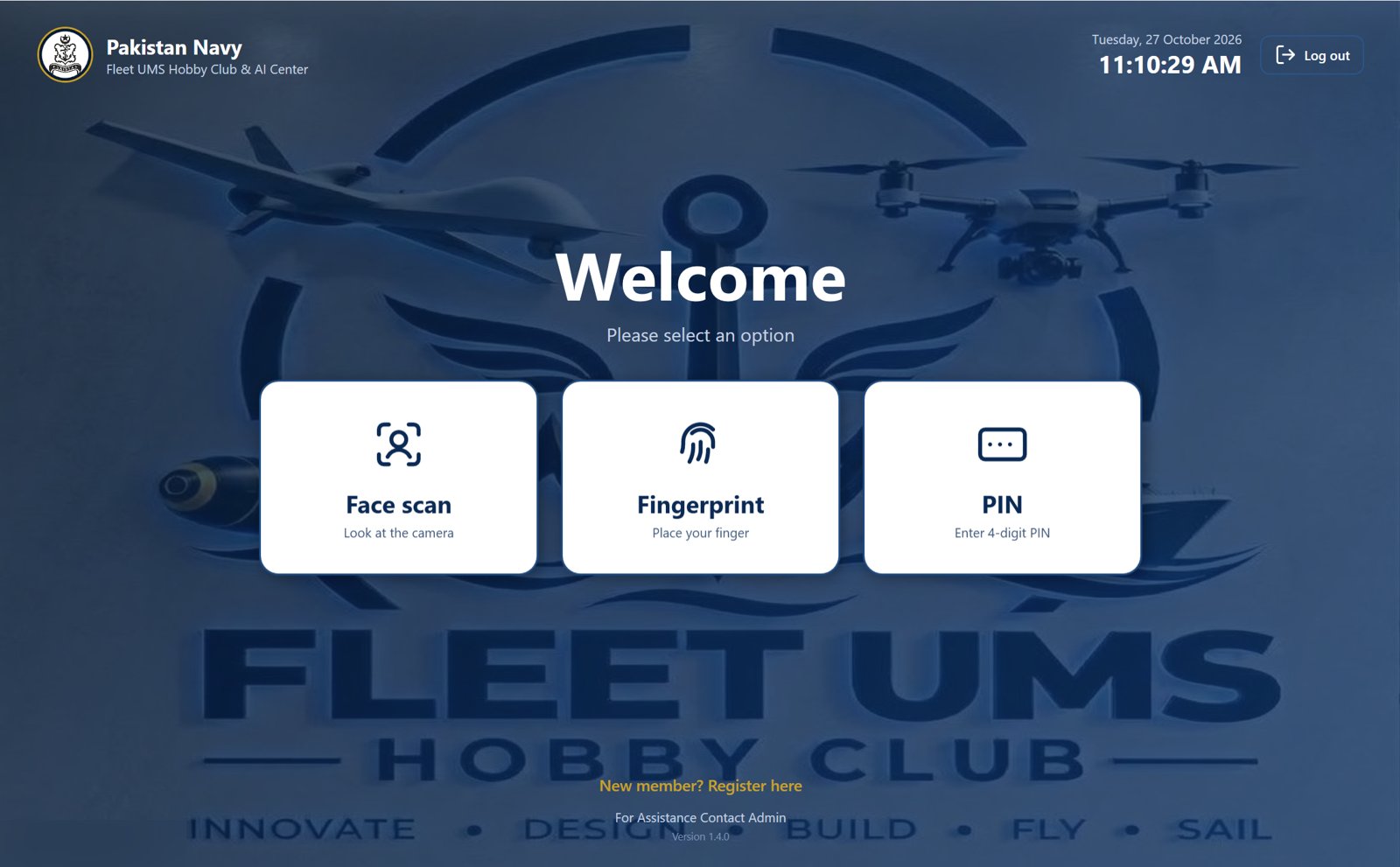
Member kiosk
Members check in and out on their own in seconds, using face recognition, a fingerprint scanner or a 4-digit PIN.
- The system decides automatically whether a scan is a check-in or a check-out
- A verification card confirms each entry with photo, club and time
- Six-step self-registration, with face and fingerprints optional
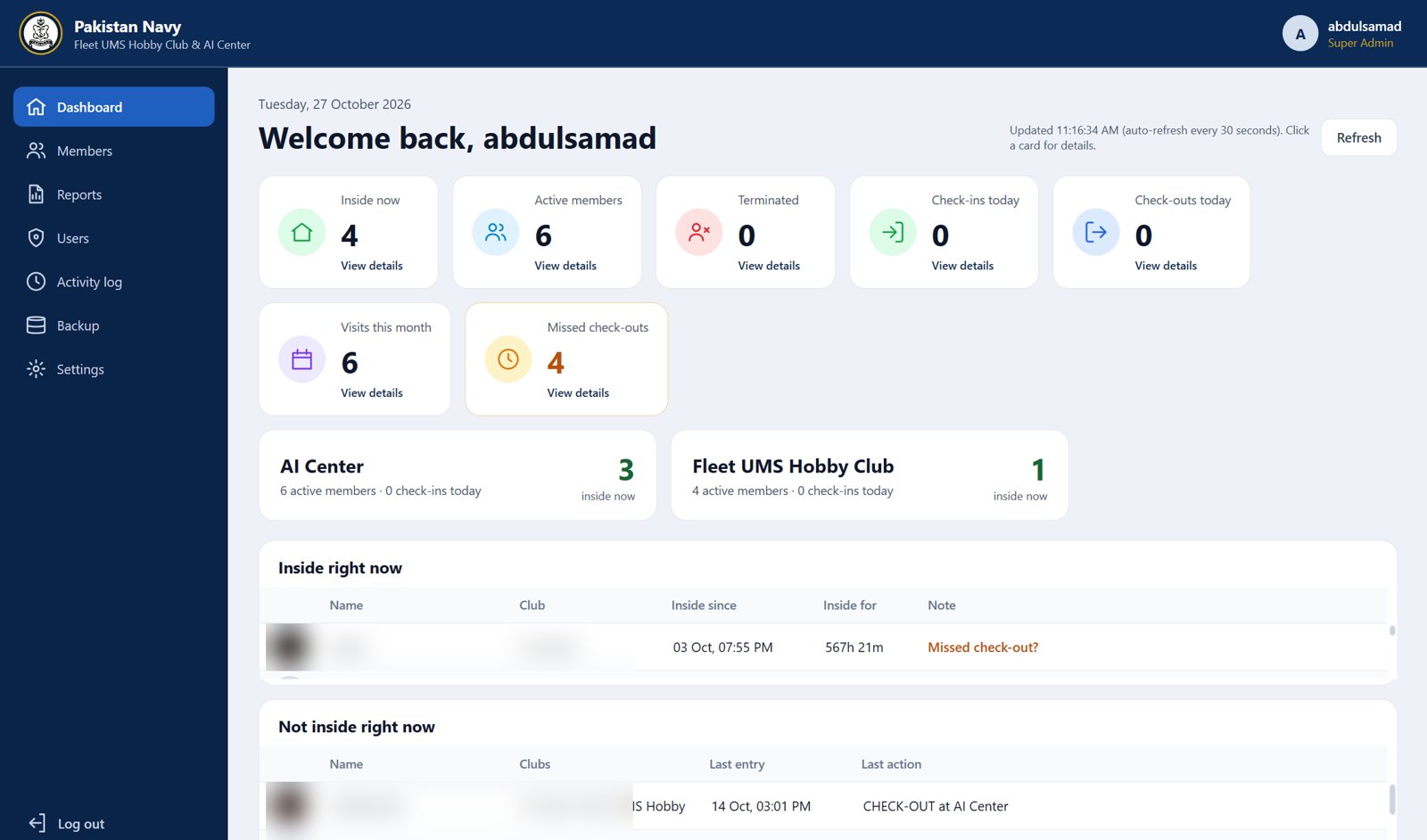
Live admin dashboard
Staff can see who is inside right now, today's check-ins and check-outs, monthly visits and missed check-outs, refreshed every 30 seconds.
- Separate live counts for the AI Center and the Hobby Club
- Missed check-outs highlighted for follow-up
- Click any card to see the details
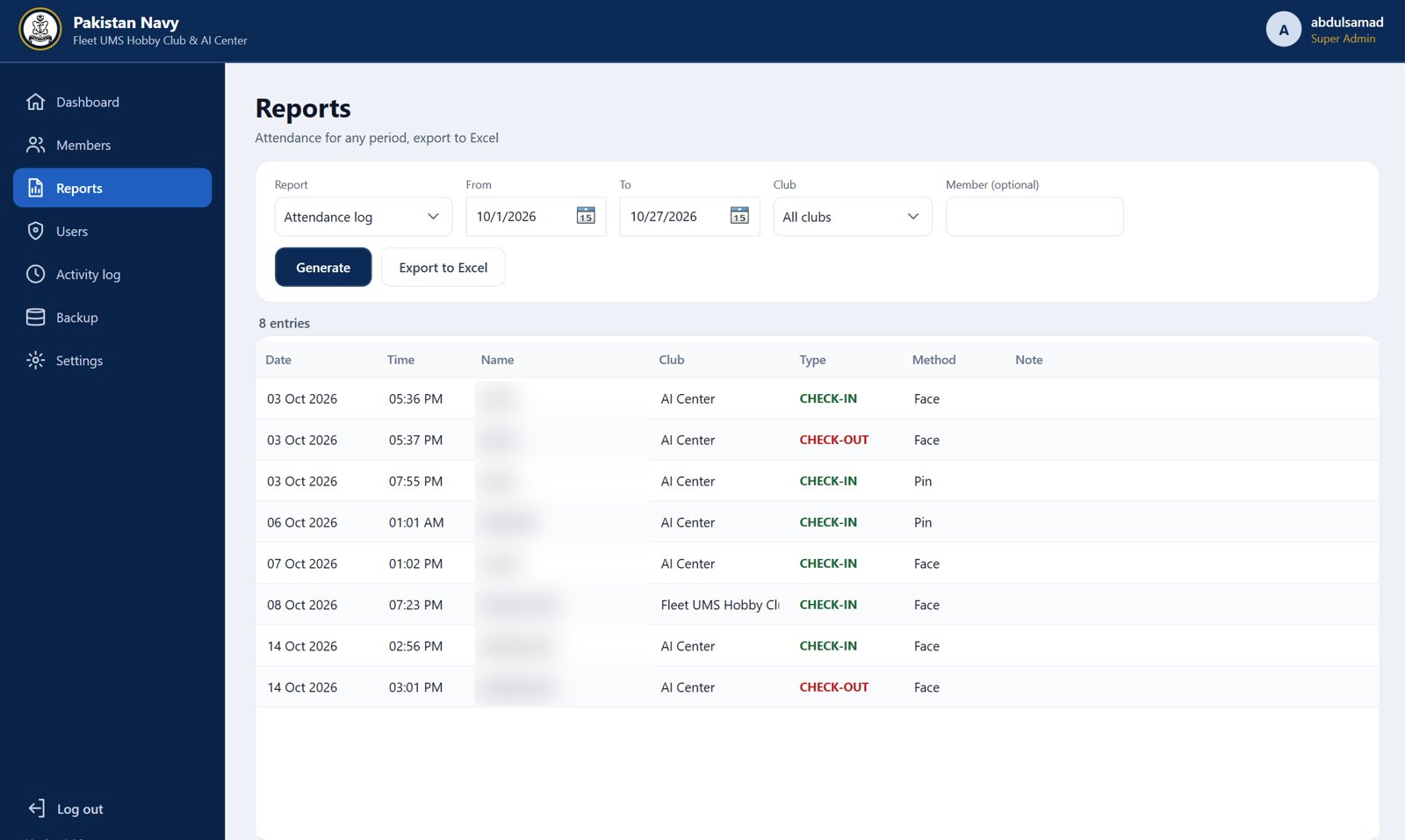
Reports and Excel export
Attendance for any date range, any club or any member, ready in seconds.
- Shows the method used for each entry: face, fingerprint or PIN
- One-click export to Excel
- Filters by club and member
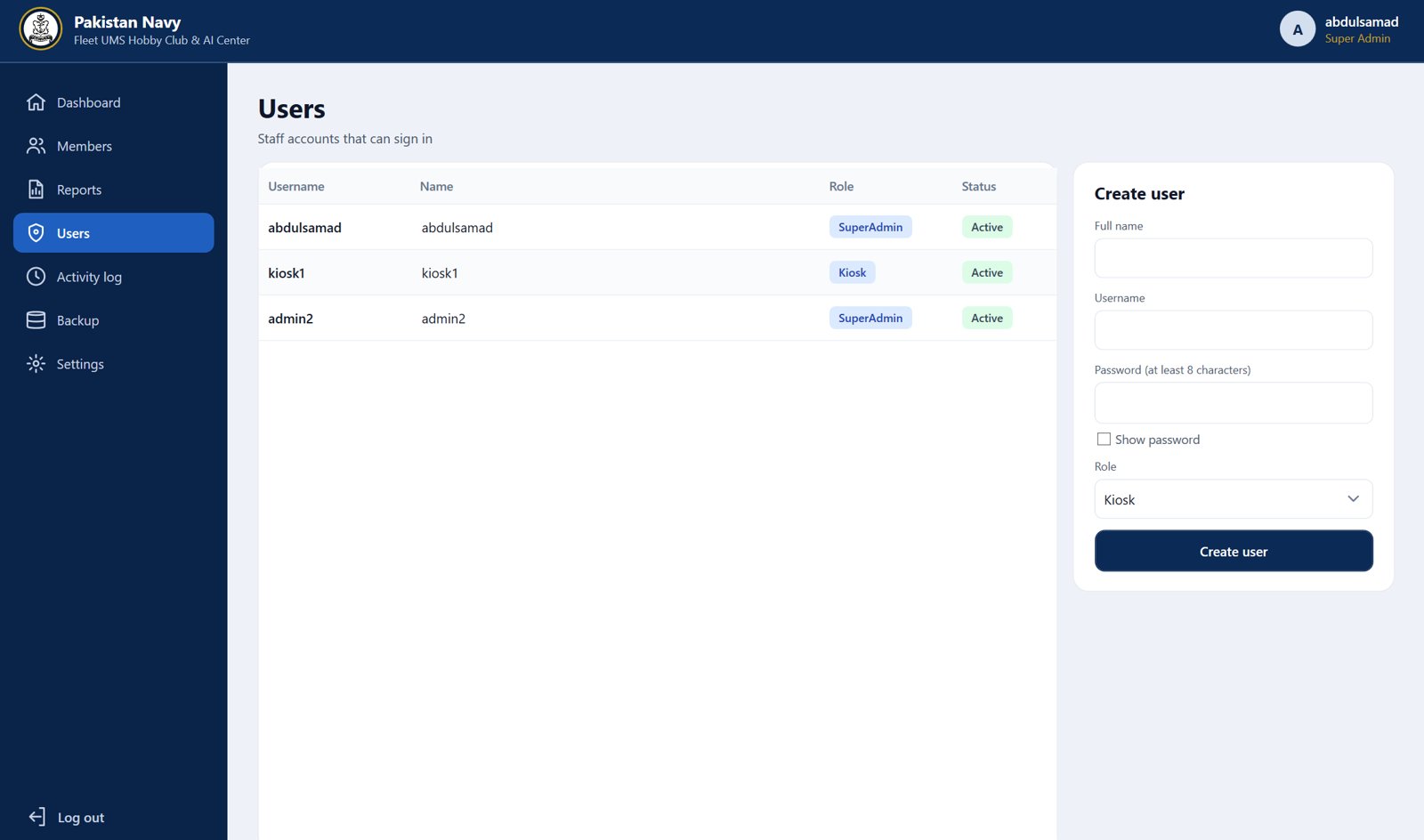
Users and roles
Separate Super Admin and Kiosk accounts, so the kiosk PC can never reach the admin panel.
- Lockout protection against repeated wrong passwords
- A complete activity log of every admin action
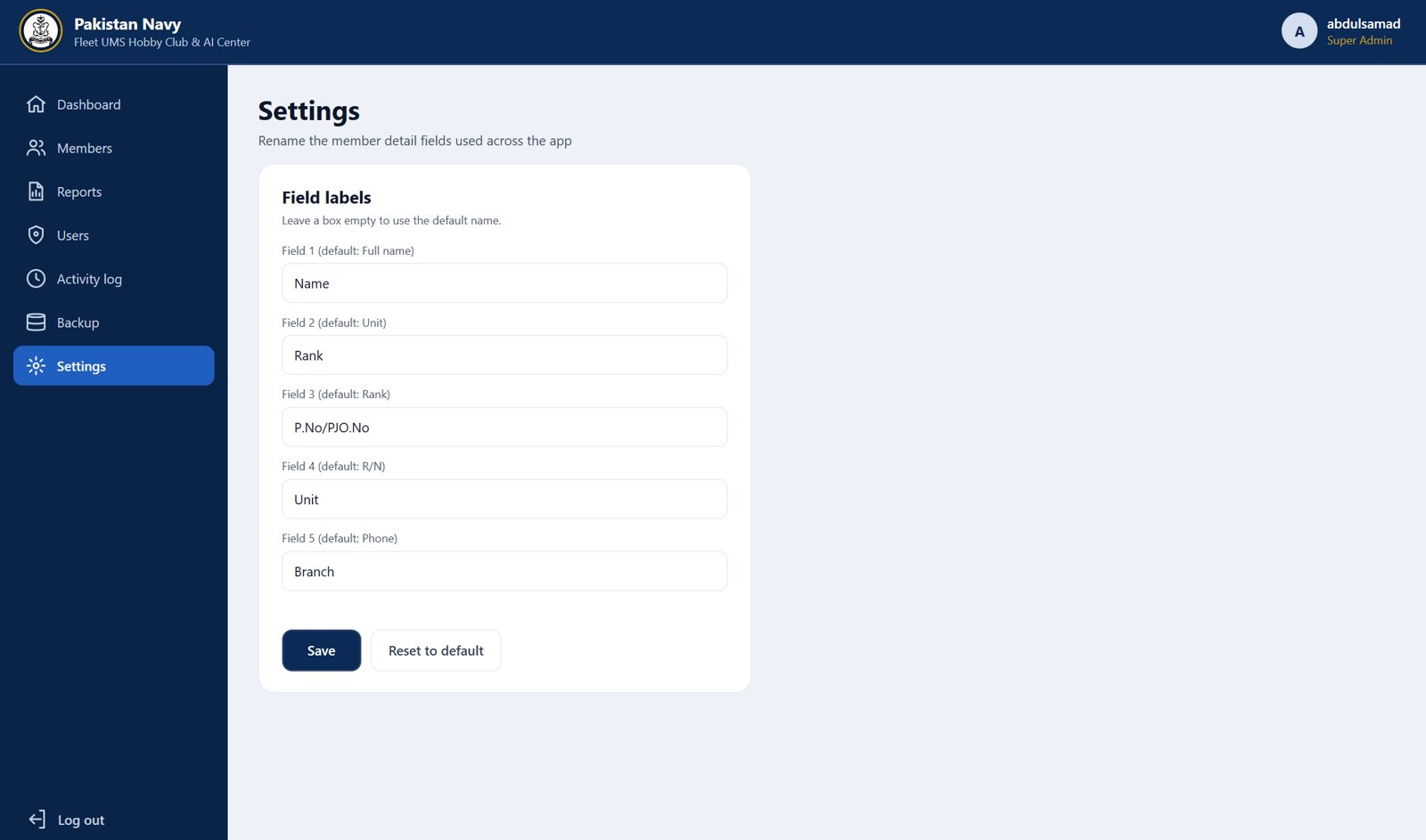
Client-controlled settings
The club can rename member fields and change its own branding without any developer support.
- Rename fields, for example R/N to P.No/PJO.No
- Change login and kiosk backgrounds, logos, headings and footer text
Key features
Face recognition
Camera-based check-in in seconds.
Fingerprint
ZKTeco SLK20R scanner support.
PIN fallback
4-digit PIN when biometrics aren't possible.
Smart rules
One club at a time, duplicate scans ignored.
Member management
Badges, clubs, re-enrolment and PIN reset.
Excel reports
Any date range, exported in one click.
Automatic backups
Daily backups kept for 30 days, one-click restore.
Self-service branding
Logos, backgrounds and field names editable.
The result
Attendance moved from manual records to an automated, real-time system. Staff can see who is inside at any moment and pull reports in seconds, with zero internet dependency and all data kept securely on the club's own PC. The system was delivered with full documentation, a user manual and versioned updates that install without losing data.
Technology
Need a secure, offline system for your organisation?
We'll walk you through the system live and show how it can fit the way your organisation works.